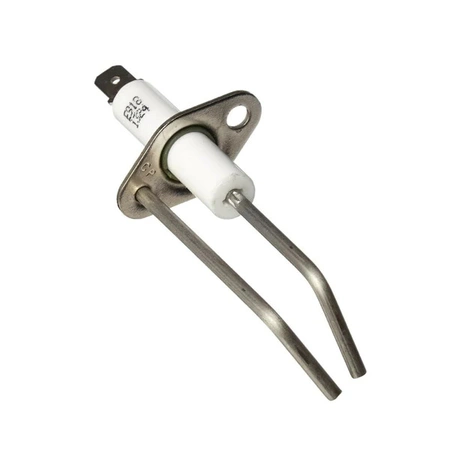
DE81-08766A Samsung Electrode Spark

$14.88
DE81-08766A Samsung Spark Electrode
- Description
- Installation Guide
- Additional information
- Used in Models
Description
DE81-08766A Samsung Spark Electrode
Replacing the Samsung DE81-08766A SVC-SPARK ELECTRODE
1. Unplug your appliance from the wall before beginning any repairs.
2. Take off the back cover of your appliance to locate the Samsung DE81-08766A SVC-SPARK ELECTRODE.
3. Disconnect the 2 wires connecting the Samsung DE81-08766A SVC-SPARK ELECTRODE to the top control board.
4. Remove the screws securing the Samsung DE81-08766A SVC-SPARK ELECTRODE in place.
5. Carefully remove the Samsung DE81-08766A SVC-SPARK ELECTRODE and discard it.
6. Secure the replacement Samsung DE81-08766A SVC-SPARK ELECTRODE in place using the screws you removed previously.
7. Reconnect the 2 wires linking the Samsung DE81-08766A SVC-SPARK ELECTRODE to the top control board.
8. Check all the connections to ensure everything is secure and working properly.
9. Replace the back cover of your appliance and plug it back into the wall.
10. Test your appliance to make sure the replacement of the Samsung DE81-08766A SVC-SPARK ELECTRODE was successful.
Please keep in mind, these instructions are for general guidance and should always be used in conjunction with the manufacturer's manual, if available.
Additional information
| Weight | 0.000000 kg |
|---|
This product is not used in any models.