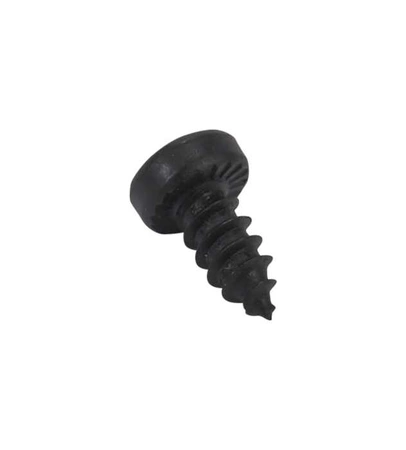
DE81-02331A Samsung Service Screw Wafer Phil #8×3/8

$0.83
DE81-02331A Samsung Service Screw Phil Wafer #8×3/8
- Description
- Installation Guide
- Additional information
- Replaceable Parts
- Used in Models
Description
DE81-02331A Samsung Service Screw Phil Wafer #8×3/8
Replacing the Samsung DE81-02331A SVC-SCREW PHIL WAFER #8X3/8
1. Unplug the Samsung DE81-02331A appliance and power it off.
2. Locate the screws securing the panel to the back of the appliance.
3. Carefully remove the screws with a flathead screwdriver.
4. Carefully remove the panel from the back of the appliance.
5. Locate the two screws that are securing the SVC-SCREW PHIL WAFER #8X3/8 to the appliance.
6. Loosen the two screws with a phillips head screwdriver and carefully remove them from the appliance.
7. Remove the SVC-SCREW PHIL WAFER #8X3/8 from the appliance.
8. Insert the new SVC-SCREW PHIL WAFER #8X3/8 into the same spot on the appliance.
9. Secure it with the two screws using a phillips head screwdriver.
10. Reattach the panel to the back of the appliance.
11. Secure it with the screws with a flathead screwdriver.
12. Plug in the appliance and power it on.
By following these easy steps, you can easily replace the Samsung DE81-02331A SVC-SCREW PHIL WAFER #8X3/8!
Please keep in mind, these instructions are for general guidance and should always be used in conjunction with the manufacturer's manual, if available.
Additional information
| Weight | 0.000000 kg |
|---|
- SMG 83011 (smg-83011)
- SMG 83571 (smg-83571)
- SMG 83263 (smg-83263)
This product is not used in any models.