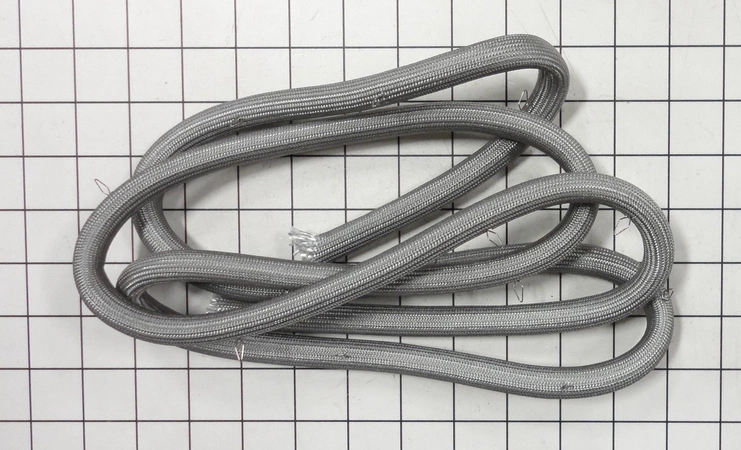
DE81-05022A Samsung Main Wire Harness Assembly 27CP

$81.97
DE81-05022A Samsung Main Wire Harness 27CP
- Description
- Installation Guide
- Additional information
- Replaceable Parts
- Used in Models
Description
DE81-05022A Samsung Main Wire Harness 27CP
Step 1: Unplug the unit from the power source and remove any bolts that are used to hold the SVC-Wire Harness Main 27CPI in place.
Step 2: Put on protective gear, such as eyeglasses and gloves, to protect yourself from potential injuries that may occur while handling the wire harness.
Step 3: Remove the old SVC-Wire Harness Main 27CPI from its position. Clean any debris or dust from the area where the new harness will be placed.
Step 4: Secure the new SVC-Wire Harness Main 27CPI by using the appropriate screws for the job. Make sure the screws are tightened correctly.
Step 5: Connect the wire from the unit to the new SVC-Wire Harness Main 27CPI. Follow the instructions provided with the new harness for proper connections.
Step 6: Test the connection by plugging the unit back into the power source. Ensure that the connections are secure and there are no issues with the SVC-Wire Harness Main 27CPI.
Step 7: Reconnect any other components that were removed during the installation process.
Step 8: Turn on the power source and test the unit to make sure the Samsung DE81-05022A SVC-WIRE HARNESS MAIN 27CPI is working properly.
Step 9: Dispose of the old SVC-Wire Harness Main 27CPI according to local regulations.
Step 10: Enjoy your newly replaced Samsung DE81-05022A SVC-WIRE HARNESS MAIN 27CPI!
Please keep in mind, these instructions are for general guidance and should always be used in conjunction with the manufacturer's manual, if available.
Additional information
| Weight | 0.000000 kg |
|---|
- SMG 82445 (smg-82445)
This product is not used in any models.