DE81-07056A Samsung Dual Knob ER30G

$15.26
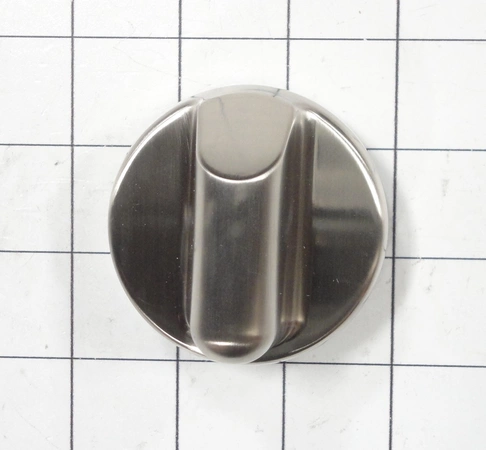
DE81-07056A Samsung Knob Dual Er30g
- Description
- Installation Guide
- Additional information
- Replaceable Parts
- Used in Models
Description
DE81-07056A Samsung Knob Dual Er30g
Replacing the Samsung DE81-07056A SVC-KNOB DUAL
If the SVC-KNOB DUAL on your Samsung DE81-07056A device is damaged or malfunctioning, it’s time to replace it. Replacing this part is easy and can be completed in just a few steps.
What You’ll Need:
• Samsung DE81-07056A SVC-KNOB DUAL replacement
• Flat-head screwdriver
Instructions:
1. Start by unplugging the Samsung DE81-07056A device from the power outlet.
2. Use the flat-head screwdriver to remove the screws from the sides and back of the device.
3. Carefully remove the cover from the device.
4. Locate the old SVC-KNOB DUAL and remove it from the device.
5. Replace the old SVC-KNOB DUAL with the new replacement.
6. Replace the screws, ensuring they are tightened firmly.
7. Replace the cover on the device.
8. Plug the device back into the power outlet and you are done!
Now you have successfully replaced the Samsung DE81-07056A SVC-KNOB DUAL. Congratulations!
Please keep in mind, these instructions are for general guidance and should always be used in conjunction with the manufacturer's manual, if available.
Additional information
| Weight | 0.000000 kg |
|---|
- SMG 105377-05 (smg-105377-05)
This product is not used in any models.