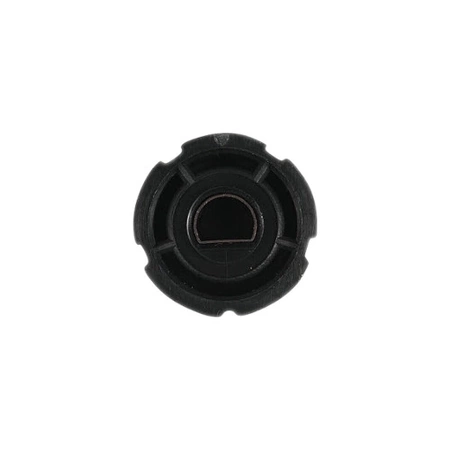
DE81-09307A Samsung Oven Slim Line Knob

$9.36
DE81-09307A Samsung Oven Knob Slim Line
- Description
- Installation Guide
- Additional information
- Replaceable Parts
- Used in Models
Description
DE81-09307A Samsung Oven Knob Slim Line
Replacing the Samsung DE81-09307A SVC-KNOB SLIM LINE
1. Unplug your refrigerator from its power source to avoid any potential accidents while replacing the knob.
2. Remove the old Samsung DE81-09307A SVC-KNOB SLIM LINE by pulling it out of the control panel.
3. Before installing the new knob, use a clean cloth to wipe down the surface of the control panel and make sure that no debris or dust remain on the panel.
4. Carefully insert the new Samsung DE81-09307A SVC-KNOB SLIM LINE into the control panel. Push it firmly until it is securely in place.
5. Reconnect your refrigerator to its power source and test the new knob to make sure it functions properly.
6. Clean up after completing the installation and wipe down the area to ensure that no mess remains.
Please keep in mind, these instructions are for general guidance and should always be used in conjunction with the manufacturer's manual, if available.
Additional information
| Weight | 0.000000 kg |
|---|
- SMG 72524 (smg-72524)
This product is not used in any models.